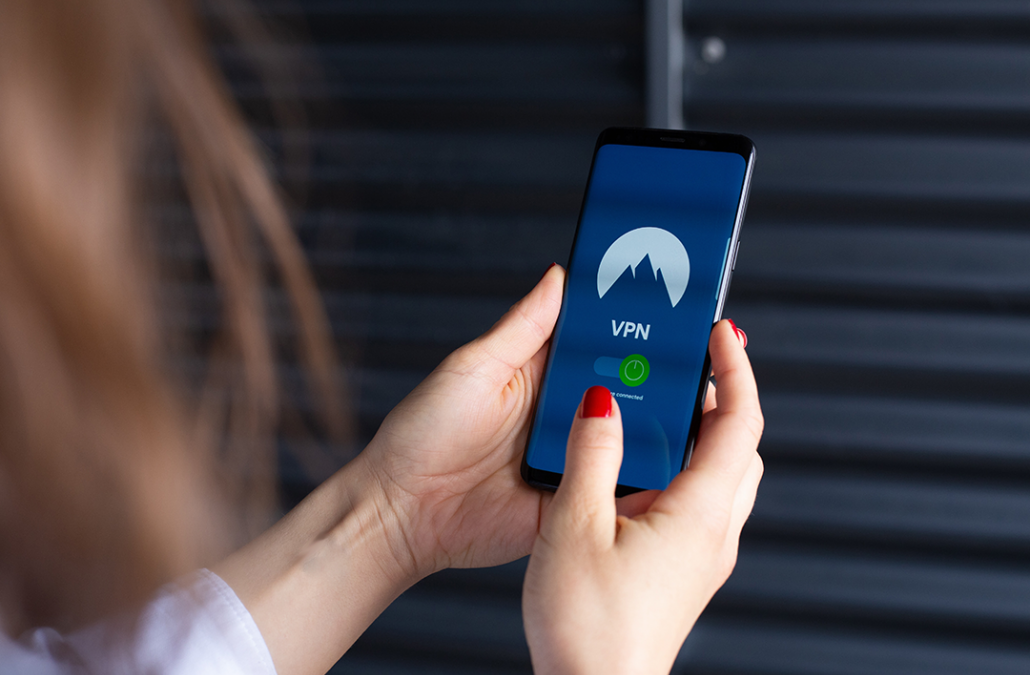

How To Dispose Of Your Mobile Device

How To Dispose Of Your Mobile Device

From: SANS Security Awareness

Overview

Mobile devices, such as smartphones, smart watches, and tablets, continue to advance and innovate at an astonishing rate. As a result, you may be replacing a new device as often as every year. Unfortunately, you may not realize just how much personal data are on your devices — far more than your computer. Below we cover the different types of data on your mobile devices and how you can securely wipe your device before disposing or replacing it. If your mobile device was issued to you by work, check with your supervisor about disposal procedures first.

Your Information

Your mobile devices store more sensitive data than you realize, to include . . .

Where you live and work, and your daily travel habits.
The contact details for everyone in your address book, including family, friends, and co-workers. Phone call history including inbound, outbound, voicemail, and missed calls.
Texting or chat sessions within applications like secure chat, games, and social media.
Personal photos, videos, and audio recordings.
Stored passwords and access to your accounts, such as your bank, social media, or email. Health related information, including your age, heart rate, or exercise history.
Financial information including credit cards, payment methods, and transactions.

Erasing Your Device

Regardless of how you dispose of your mobile device, such as donating it, exchanging it for a new one, giving it to someone, reselling it, or even recycling it, first erase all of your sensitive information. Do not assume that the next owner will “do the right thing.” The first step is to back up your device so you can recover and transfer all your data and settings to your new device. Once backed up, you will want to reset your device, as this wipes your data and resets it to factory default. During the reset process you may be prompted to enter your cloud password to break any links with that device to the Cloud; be sure to do this. The reset steps below are for the two most common devices — Apple and Android.

Apple iOS Devices: Settings | General | Transfer or Reset | Erase All Content and Settings.

Android Devices: Settings | System | Reset Options | Erase All Data (these options vary depending on your device manufacturer).

SIM & External Cards

In addition to resetting your device, also consider what to do with your SIM (Subscriber Identity Module) card. This is the little card in your phone issued to you by your phone carrier; it’s what identifies your device and enables it to make a cellular or data connection. When you wipe your device, the SIM card retains information about your account and is tied to you. If you are keeping your phone number and moving to a new device, talk to your phone service provider about transferring your SIM card. If this is not possible, keep your old SIM card and physically destroy it. Many of today’s modern smartphones having something called an eSIM, which is a virtual SIM card as opposed to a physical SIM. The eSIM is wiped during the reset process.

Finally, some Android mobile devices utilize a removable SD (Secure Digital) card for additional storage. Remove these external storage cards from your mobile device prior to disposal. These cards can often be re-used in new mobile devices, or can be used as generic storage on your computer with a USB adapter. If reusing your SD card is not possible, then just like your old SIM card, we recommend you physically destroy it.

If you are not sure about any of the steps covered above, or if your device reset options are different, take your mobile device to the store from which you bought it from and get help. Finally, if you are throwing a device away, consider donating it instead. There are many excellent charitable organizations that accept used mobile devices, and many mobile providers have drop-off bins in their stores to recycle them.

9th Annual Village Toy Drive 2022

9th Annual Village Toy Drive 2022

OUR MISSION IS TO GIVE COLORADO
CHILDREN A MAGICAL HOLIDAY.

VOLUNTEERS OF AMERICA IS COLLECTING NEW TOYS FOR
CHILDREN IN COLORADO THIS HOLIDAY SEASON.

Please donate new toys (ages 0-16) to First American State Bank at
8390 E. Crescent Pkwy, Suite 100, Greenwood Village, CO 80111 or
Cash Donations directly to Volunteers of America at www.voacolorado.org/toydrive
Deadline for donations is December 16, 2022

Simple Passwords

Simple Passwords

MAKING PASSWORDS SIMPLE

From: SANS Security Awareness

You are often told your passwords are key to protecting your accounts (which is true!), but rarely are you given a simple way to securely create and manage all your passwords. Below we cover three simple steps to simplify your passwords, lock down your accounts, and protect your future.

-Read More-

Charity and Disaster Scams

Charity and Disaster Scams

Cyber criminals know that one of the best ways to rush people into making a mistake is by creating a heightened sense of urgency. And one of the easiest ways to create a sense of urgency is to take advantage of a crisis. This is why cyber criminals love it whenever there is a traumatic event with global impact.

What most of us regard as a tragedy, cyber criminals view as an opportunity, such as the breakout of a war, a major natural disaster such as a volcanic explosion, and of course infectious disease breakouts like COVID- 19.

When there is an immense amount of social media and news coverage about a certain event, cyber criminals know that is the time to strike.

They use this opportunity to create timely phishing emails or scams about the event, and then send that phishing email or launch the scam to millions of people around the world. For example, during a natural disaster, they may pretend to be a charity asking for donations to save children in need. Cyber criminals can often act within hours of a crisis or disaster, as they have all the technical infrastructure prepared and are ready ahead of time. How can we protect ourselves the next time there is a big crisis or disaster, and cyber criminals seek to exploit it?

How to Detect and Defend Against These Scams

The key to avoiding these scams is to be suspicious of anyone who reaches out to you. For example, do not trust an urgent email claiming to be from a charity that desperately needs donations, even if the email appears to be from a brand that you know and trust. Do not trust a phone call claiming to be a local food bank pressuring you to donate. The greater the sense of urgency, the more likely the request is an attack. Here are some of the most common indicators of a charity scam:

  • Be very suspicious of any charity that requires that you donate via cryptocurrency, Western Union, wiring money, or gift cards.
  • Cyber criminals can change their caller ID phone number to make their phone call look like it’s from your local area code or from a trusted name. Caller ID cannot be relied upon these days.
  • Some cyber criminals will use names and logos that sound or look like a real charity. This is one reason it pays to do some research before giving.
  • Cyber criminals will often make lots of vague and sentimental claims about what they will do with your money but give no specifics about how your donation will be used.
  • Some cyber criminals may try to trick you into donating to them by thanking you for a donation you made in the past when, in reality, you never donated to them.
  • Do not assume pleas for help on crowdfunding sites such as GoFundMe or social media sites such as TikTok are legitimate, especially in the wake of a crisis or tragedy.
  • Do not give out personal or financial information in response to any unsolicited request.

How to Make a Difference Safely

To donate in times of need or to help those impacted by a disaster, donate only to well-known, trusted organizations. You initiate the connections and decide who to reach out to, such as what websites to visit or what organizations to call. When you consider giving to a charity, search its name plus words like “complaint,” “review,” “rating,” or “scam.” Not sure which charities to trust? Start by researching on government websites you trust, or perhaps links provided by a well-known and highly trusted news organization. Donating in times of need is a fantastic way to make a difference, just be sure you are giving to legitimate organizations.

Phishing Attackers Getting Trickier

Phishing Attackers Getting Trickier

PHISHING ATTACKERS GETTING TRICKIER

Phishing attacks have become the most common method cyber attackers use to target people at work and at home. Phishing attacks have traditionally been emails sent by cyber attackers to trick you into doing something you should not do, such as opening an infected email attachment, clicking on a malicious link, or sharing your password.

While traditional phishing attacks continue today, many cyber attackers are creating advanced phishing emails that are more customized and harder to detect. They are also using technologies such as text messaging, social media, or even telephone calls to engage and fool you. Here are their latest tricks and how you can spot them.

Cyber Attackers Are Doing Their Research

Phishing emails used to be easier to detect because they were generic messages sent out to millions of random people. Cyber attackers had no idea who would fall victim; they just knew the more emails they sent, the more people they could trick. We could often detect these simpler attacks by looking for odd emails with “Dear Customer” in the beginning, misspellings, or messages that were too good to be true, such as Nigerian princes offering you millions of dollars

Today’s cyber attackers are far more sophisticated. They now research their intended victims to create a more customized attack. Instead of sending out a phishing email to five million people, or appearing to be generic emails sent by corporations, they may send it to just five people and tailor the attack to appear to be sent from someone we know. Cyber attackers do this by:

  • researching our LinkedIn profiles, what we post on social media, or by using information that is publicly available or found on the Dark Web.
  • crafting messages that appear to come from management, coworkers, or vendors you know and work with.
  • learning what your hobbies are and sending a message to you pretending to be someone who shares a mutual interest.
  • determining you have been to a recent conference or just returned from a trip and then crafting an email referencing your travels.

Cyber attackers are actively using other methods to send the same messages, such as texting you or even calling you directly by phone.

How to Detect These More Advanced Phishing Attacks

Because cyber attackers are taking their time and researching their intended victims, it can be more difficult to spot these attacks. The good news is you can still spot them if you know what you are looking for. Ask yourself the following questions before taking action on a suspicious message:

  1. Does the message create a heightened sense of urgency? Are you being pressured to bypass your organization’s security policies? Are you being rushed into making a mistake? The greater the pressure or sense of urgency, the more likely this is an attack.
  2. Does the email or message make sense? Would the CEO of your company urgently text you asking for help? Does your supervisor really need you to rush out and buy gift cards? Why would your bank or credit card company be asking for personal information they should already have about you? If the message seems odd or out of place, it may be an attack.
  3. Are you receiving a work-related email from a trusted coworker or perhaps your supervisor, but the email is using a personal email address such as @gmail.com?
  4. Did you receive an email or message from someone you know, but the wording, tone of voice or signature in the message is wrong and unusual?

If a message seems odd or suspicious, it may be an attack. If you want to confirm if an email or message is legitimate, one option is to call the individual or organization sending you the message with a trusted phone number.

You are by far the best defense. Use common sense.